
A vocabulary course for the new TOEFL iBT (January 2026)
Learn TOEFL vocabulary
one day at a time.
50 words a day for 30 days: 1,500 academic words, with reviews that bring each word back right before you'd forget it.
Day 1 is free · Later Days are part of a subscription
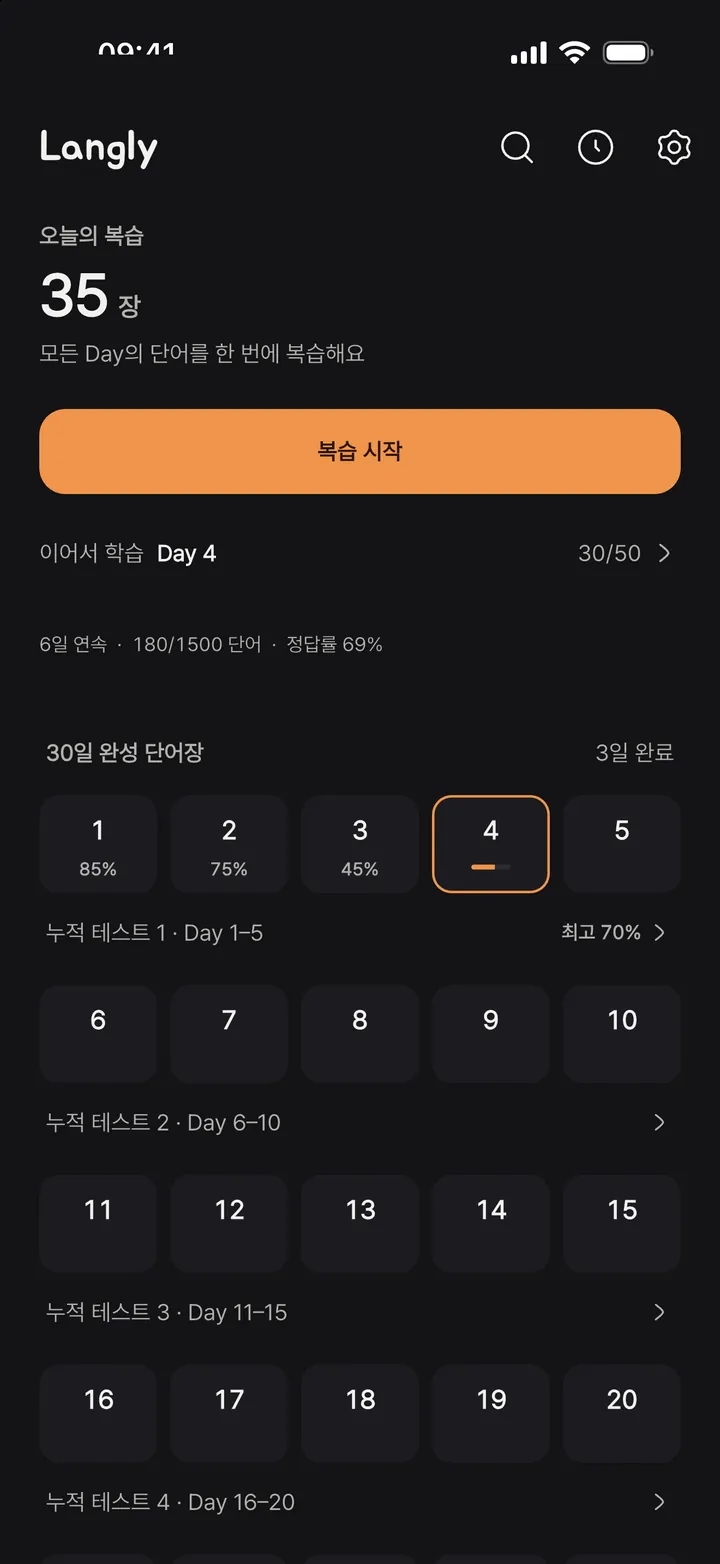
30 days × 50 words a day = 1,500 words
The 30-day course
Open a Day and see only today's 50 words: 20 core, 20 intermediate and 10 advanced, about 85% academic.
Spaced repetition
Anki-style SM-2 schedules every word. Reviews from all Days gather in one queue, so you only see what's due today.
Built for the new TOEFL
A test at the end of each Day and a cumulative one every 5 days, shaped by the January 2026 task types. Misses go straight to review.
Nothing on screen but the words
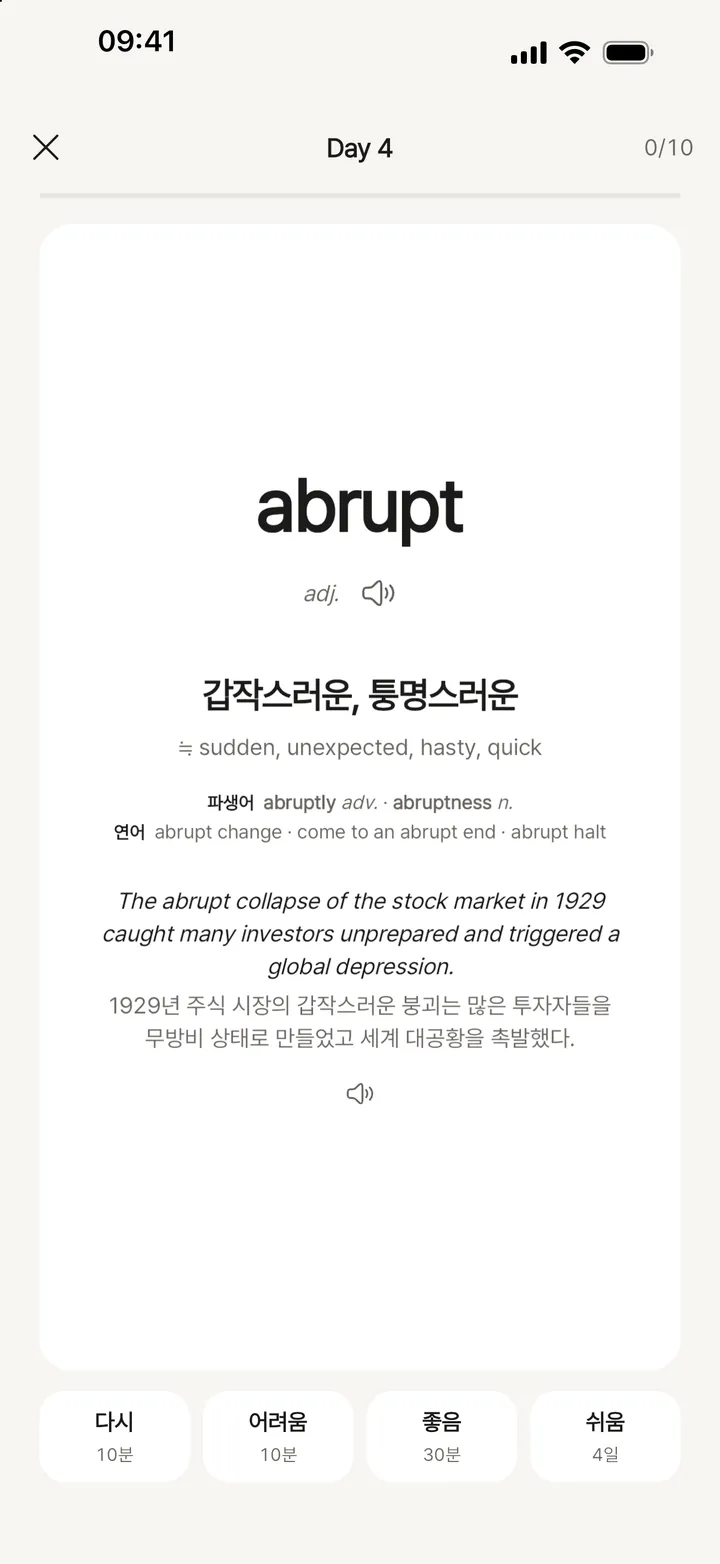
Back right before you forget
Again, Hard, Good or Easy: four ratings tune each interval.
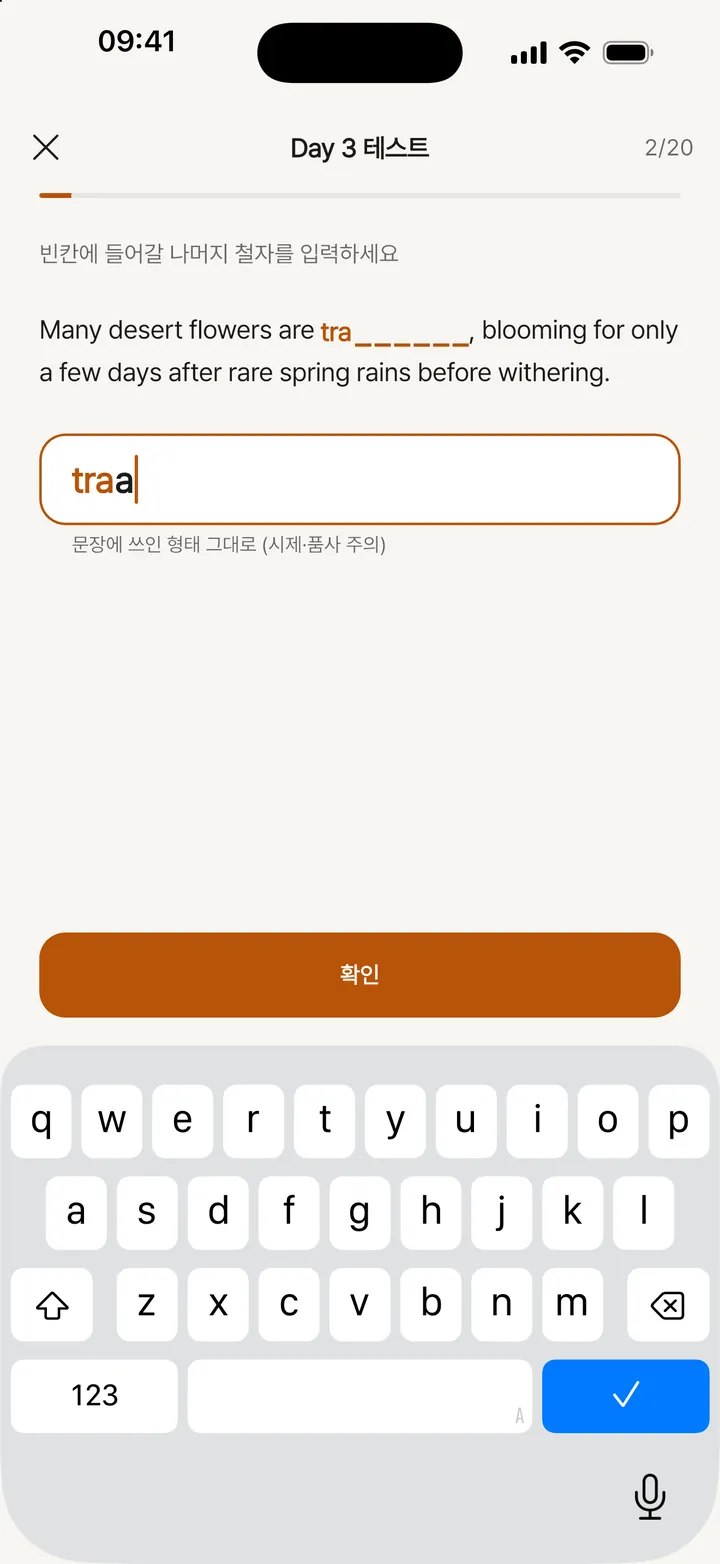
Checked like the real test
Complete the Words: fill in the missing letters in context.
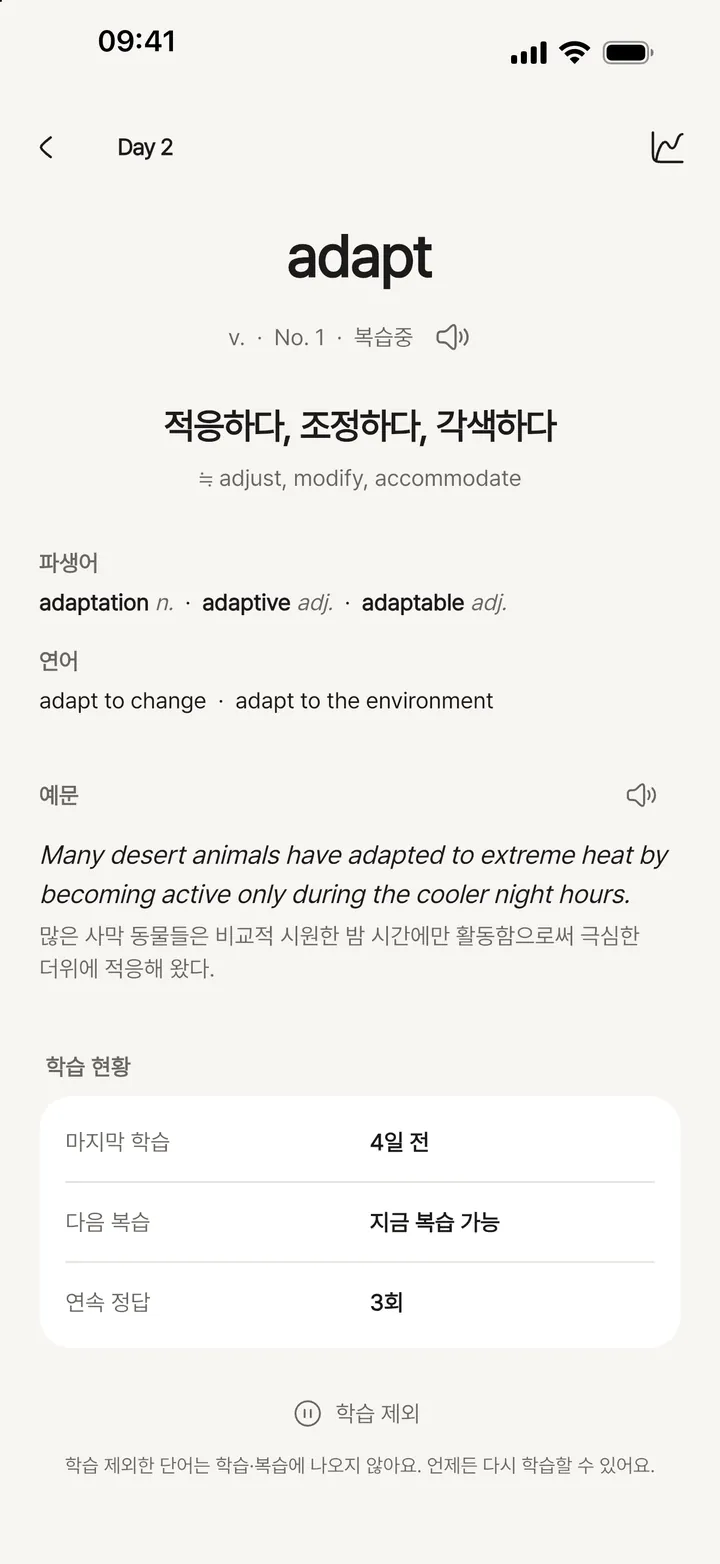
Every word, in depth
Synonyms, word family, collocations and an example on one screen.


Details
- Word grouping
- Synonyms and same-family words never share a Day, so similar words don't blur together.
- Audio
- AI-synthesized pronunciation in one consistent voice.
- Languages
- Meanings and notes in English, Korean and Japanese.
- Offline
- Words are built in; audio downloads once per Day.
Frequently asked questions
What can I use for free?
Day 1 is free. Days 2-30 require a Langly Pro subscription.
How do I cancel my subscription?
- iPhone: Settings > [your name] > Subscriptions > Langly TOEFL > Cancel Subscription
- Android: Play Store > Profile > Payments & subscriptions > Subscriptions > Langly TOEFL > Cancel subscription
You keep access until the end of the current billing period. Deleting the app does not cancel your subscription.
I switched devices and my subscription is missing.
Sign in with the same Apple ID or Google account, then tap "Restore Purchase" in the app's Settings or subscription screen.
Pronunciation audio won't play.
Audio for each Day downloads the first time you open it. Open that Day again while connected to the internet. Once downloaded, it plays offline.
Where is my progress stored?
Your progress is stored only on your device. Deleting the app also deletes your progress.
How do I get a refund?
Payments are handled by Apple and Google. On iPhone, request a refund at reportaproblem.apple.com. On Android, use your order history in the Play Store. See our Refund Policy for details.
I want my data deleted.
On-device data is removed when you delete the app. To delete server-side data (anonymous ID, entitlement records, feedback), email us at the address above.
More help is on the Support page.